Free autotune on Linux
SnapTune runs on 64-bit Linux as an LV2, a VST3 and a standalone app: hard-tune or natural pitch correction for vocals, free and open source.
Install it
- Download the Linux archive from this page.
- Unpack it: tar xzf SnapTune-*-Linux.tar.gz
- Run ./install.sh from the unpacked folder. It needs no sudo: the LV2 goes to ~/.lv2, the VST3 to ~/.vst3, and the app to ~/.local/bin with a menu entry.
- Rescan plugins in your DAW and put SnapTune on the vocal track.
What it needs
64-bit Linux with glibc 2.35 or newer: Ubuntu 22.04 and later, Debian 12, Fedora 36 and their relatives. It runs under X11 or XWayland and uses FreeType and Fontconfig; the standalone app plays through ALSA or JACK.
Hard tune or natural
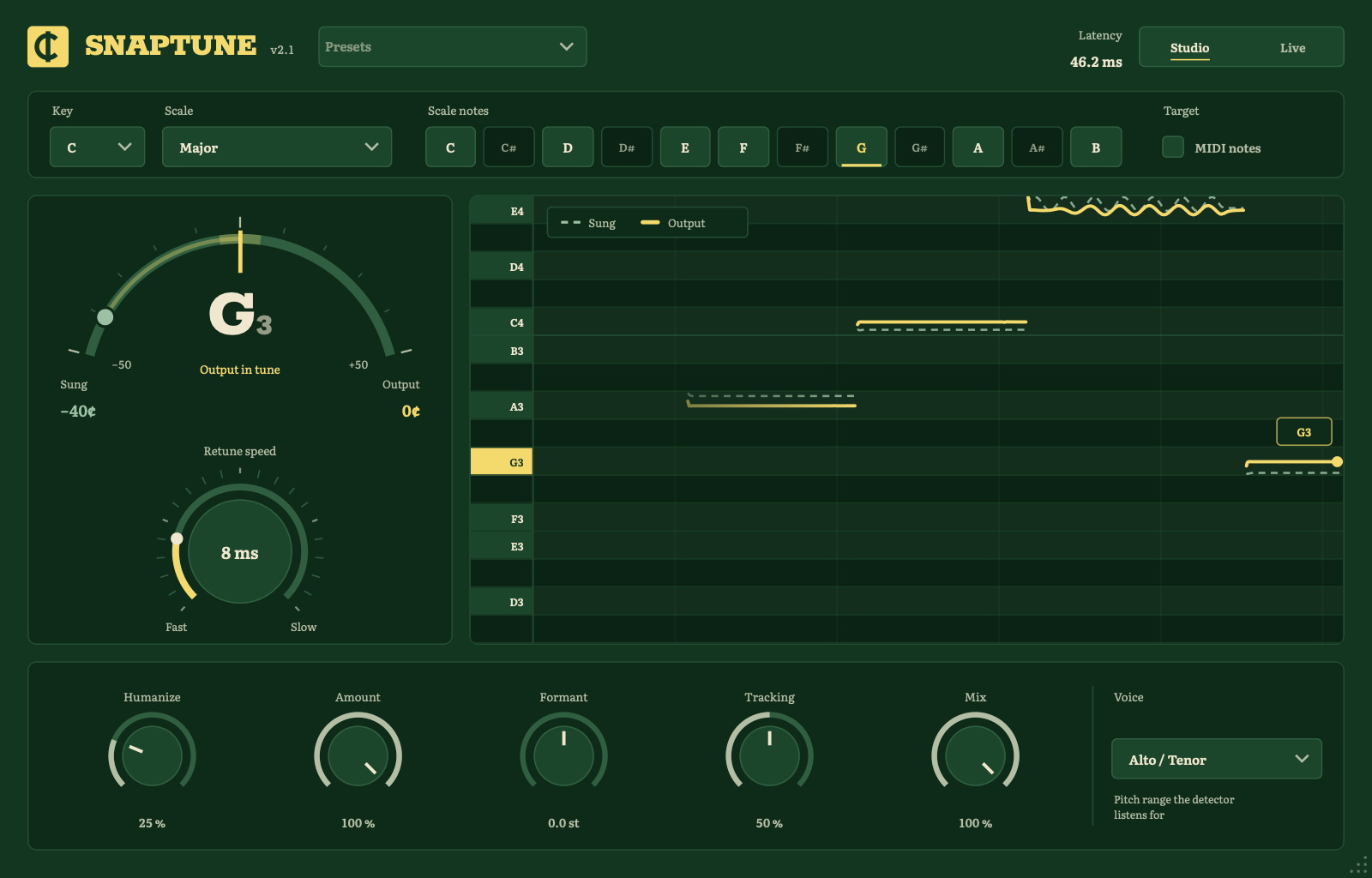
Set the key and scale, then pick Hard Tune (Retune Speed at 0 ms) for the robotic snap or Natural for a fix that keeps your vibrato. Live mode answers in 2.7 ms for recording; Studio mode reports its 46 ms to the host, which compensates.
Questions
Which Linux DAWs does it work in? Any host that loads LV2 or VST3, such as Reaper, Bitwig Studio, Ardour and Qtractor. The Linux builds are new and I haven’t tried them in a Linux DAW yet; if yours has trouble, open an issue on GitHub or write to support@getsnaptune.com with the DAW and distribution.
How do I uninstall it? Delete ~/.lv2/SnapTune.lv2, ~/.vst3/SnapTune.vst3, ~/.local/bin/SnapTune, ~/.local/share/applications/snaptune.desktop and the icon, ~/.local/share/icons/hicolor/512x512/apps/snaptune.png.
Is SnapTune the same as Auto-Tune? No. Auto-Tune is a trademark of Antares Audio Technologies, and SnapTune has no connection to them. People say “autotune” for any pitch correction; SnapTune is an independent, open-source one, built on published methods that its README explains.